Short, memorable URLs. For every workspace.

Claim a slug like ruiscosta.preview.typelets.com instead of sharing a 25-character workspace id. The wildcard cert covers it. The shape is the same as Glitch's named projects.
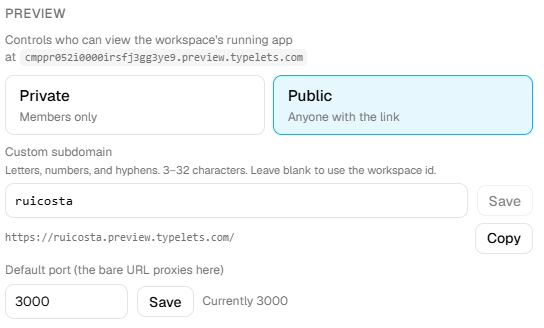
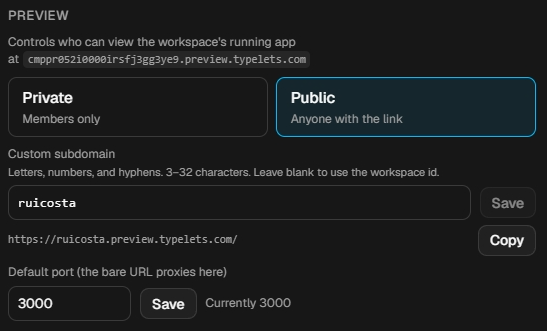
Workspace settings Preview tab with the Custom subdomain field set to "ruicosta" and the resolved URL https://ruicosta.preview.typelets.com showing below with a Copy button.

Use cases

When this feature earns its keep.

Three concrete patterns. Use them as templates for your own setup.

A portfolio site at yourname.preview.typelets.com

Put your name on the subdomain. The URL is clean enough to put in a resume or on a personal site without looking like a generated share link.

An interview project at acme-take-home.preview.typelets.com

Give a candidate a subdomain that describes the project. They know where they are landing before they open the link, which reduces support questions.

A demo for a customer at acme-demo.preview.typelets.com

Send a sales demo URL that looks intentional. A 25-character workspace id says "prototype"; a named subdomain says "product".

Setup

How the setup looks.

Claiming a custom subdomain takes about 30 seconds. Availability is checked in real time as you type, so you know immediately whether the slug is free.

Same workspace, same auth, same collaboration features as every other Typelets workspace. See all features

  1. Workspace settings, Preview tab

    Open the Settings dialog from the workspace toolbar and navigate to the Preview tab.

  2. Type your slug into the Custom subdomain field

    Three to thirty-two characters, lowercase letters, numbers, and hyphens. A real-time check shows whether the slug is available as you type.

  3. Hit Save. The URL switches.

    Once saved, the workspace preview is reachable at <slug>.preview.typelets.com. The wildcard TLS cert covers it automatically. The old workspace-id URL continues to work as a redirect.

FAQ

What if my slug is taken?
The availability check in the settings field flags taken slugs before you can save. Try a different combination: adding a number, a short qualifier, or your username usually finds something free quickly.
Does the old workspace-id URL still work?
Yes. The workspace-id URL redirects to the custom subdomain URL. Any existing links shared before you claimed the subdomain keep working.
Can I claim multiple slugs for one workspace?
Each workspace supports one custom subdomain at a time. Changing the slug releases the old one and makes it available for others to claim.
Can I bring my own domain?
Custom domains (CNAME at your own registrar) are not available during beta. The feature is on the roadmap. Until then, the subdomain approach gives you a stable, readable URL without any DNS setup.

Start interviewing in under a minute.

No card, no install, no yaml. Sign up, create a workspace, share the link. That's it.

Free during beta · No credit card · Cancel anytime